
Your trips
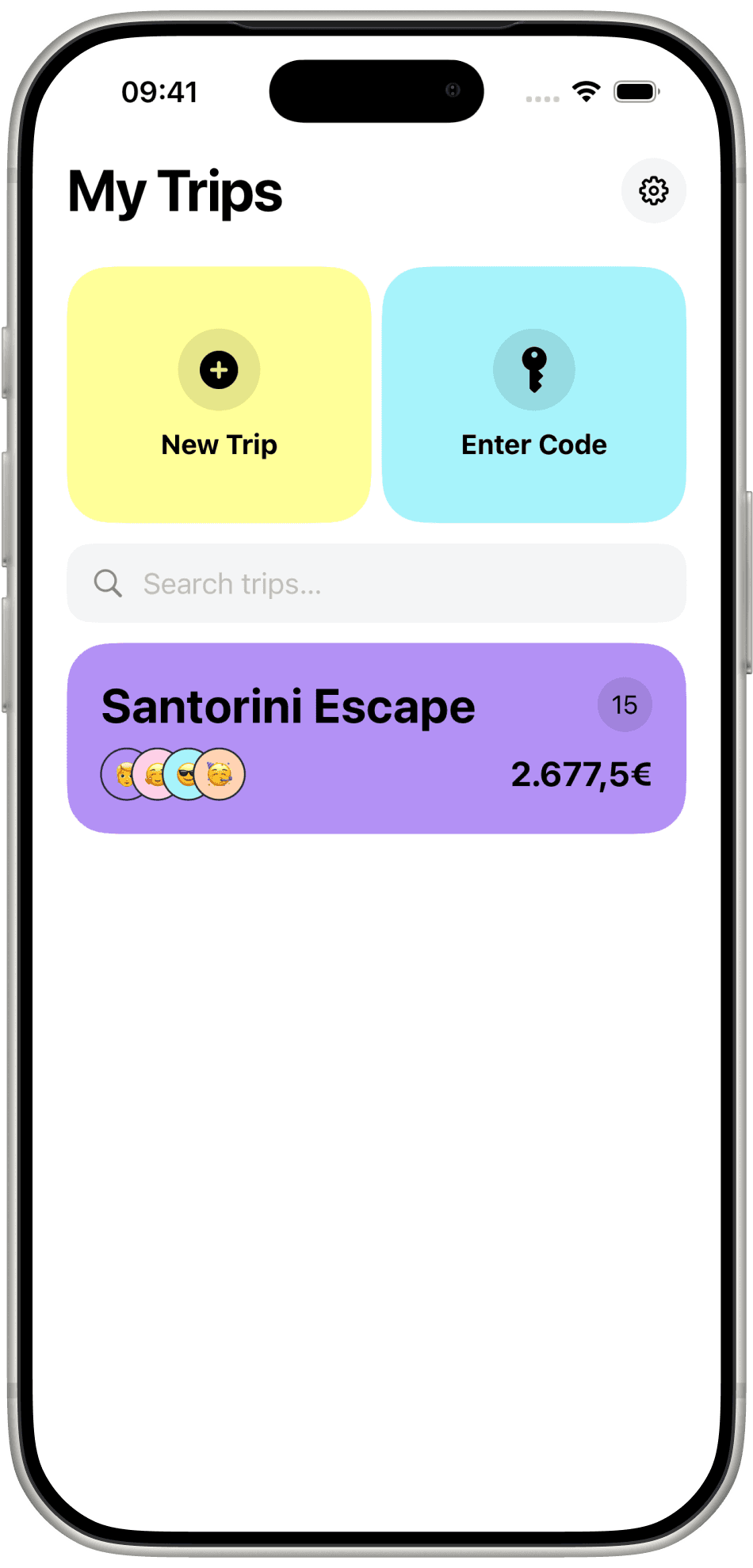
Each card shows the name, the people on it, how many expenses so far, and the running total — Santorini Escape, 2.677,5€.

Name the trip, pick a currency, share a code. Every expense lands in the feed, on the map, and in the wallet — until who owes whom is a button, not an argument.
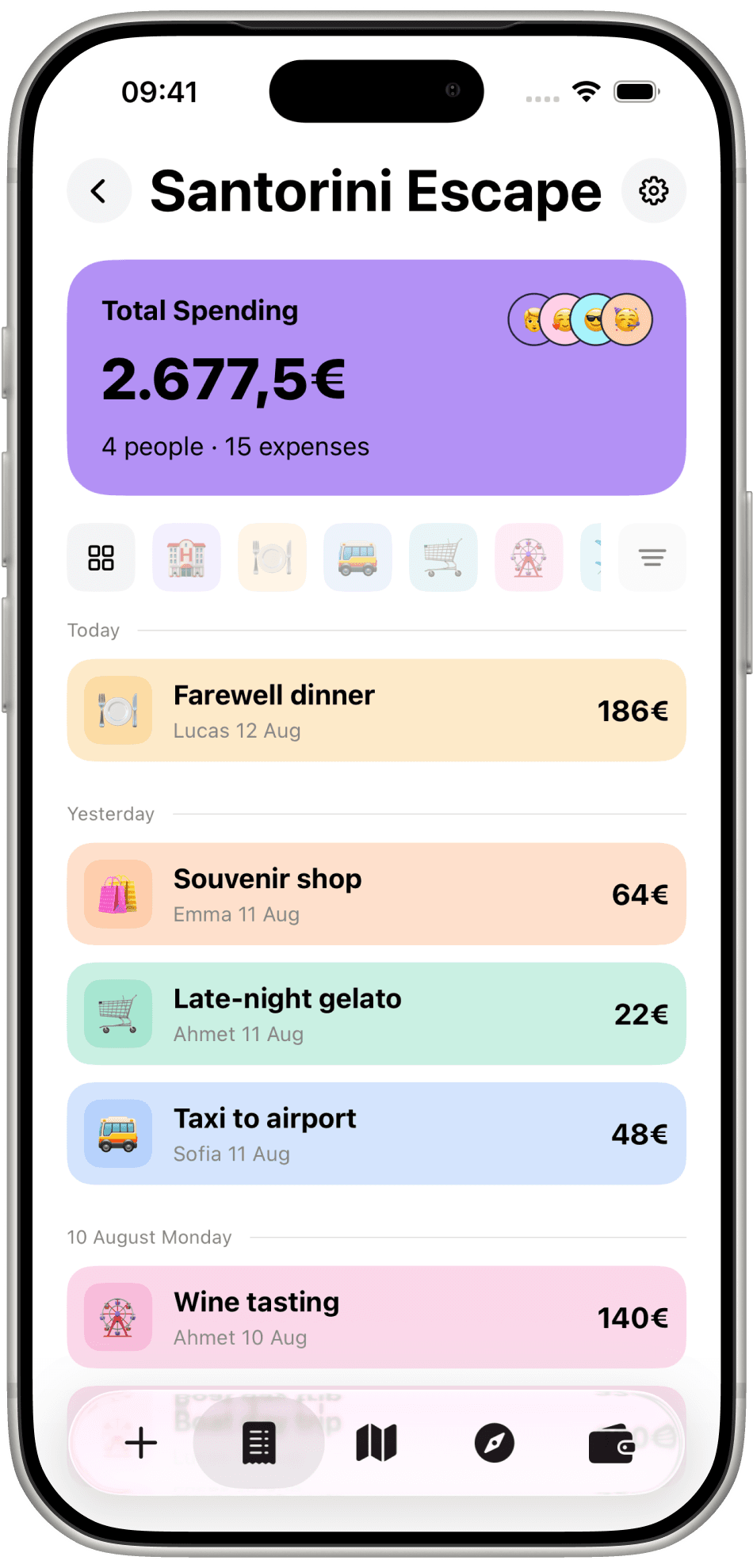
Someone always pays for dinner. Someone else covers the taxi, the hotel, the boat. By the third day nobody remembers, and the arithmetic waits until everyone is home.
TravelTab keeps the tab while you are still on the road, so the trip ends with a number instead of a conversation.
My Trips
New Trip asks for a name and a currency. Enter Code lets you join one that already exists. From then on the tab is shared.
Each card shows the name, the people on it, how many expenses so far, and the running total — Santorini Escape, 2.677,5€.
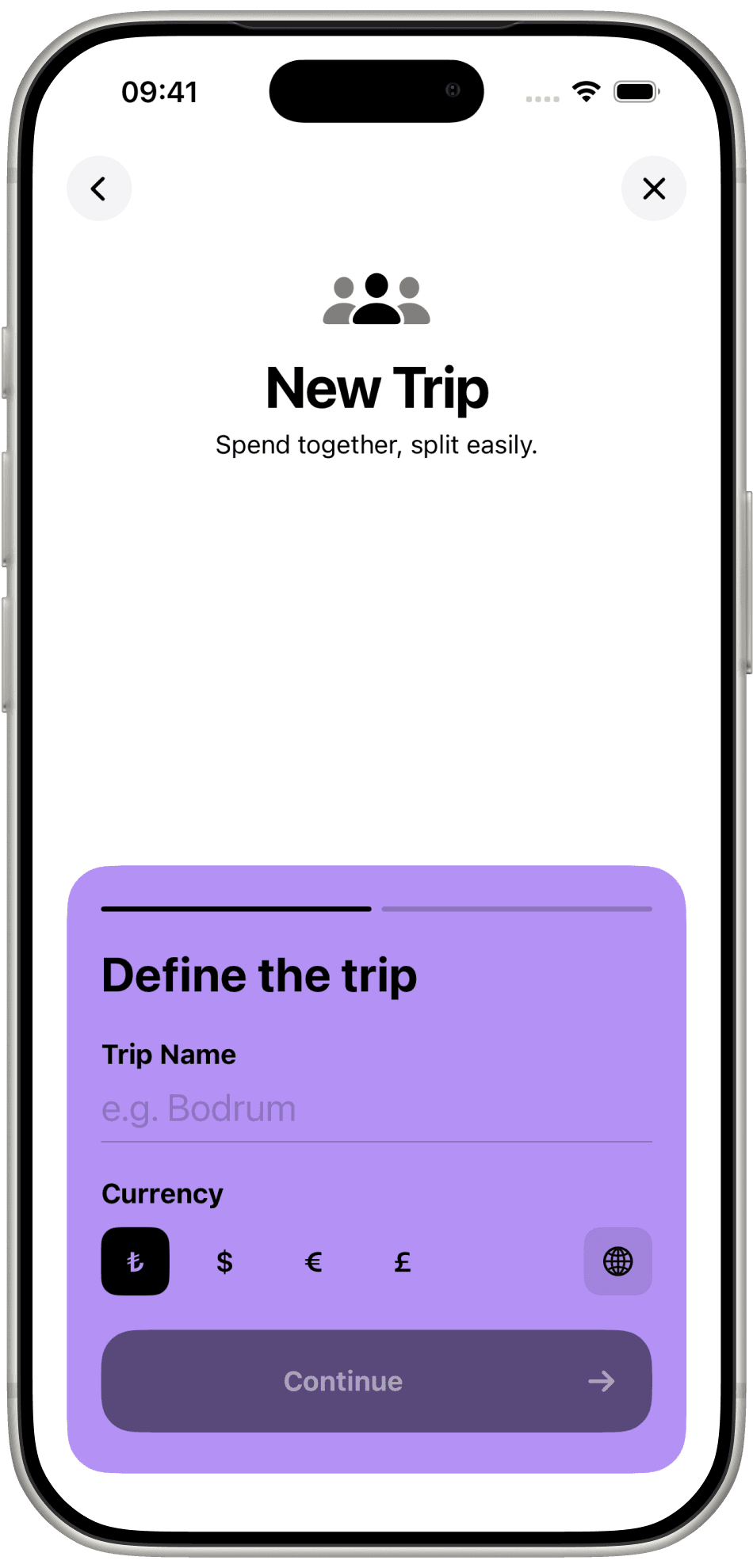
Define the trip: a name, a currency. Continue. Everyone else walks in with the code.
The map
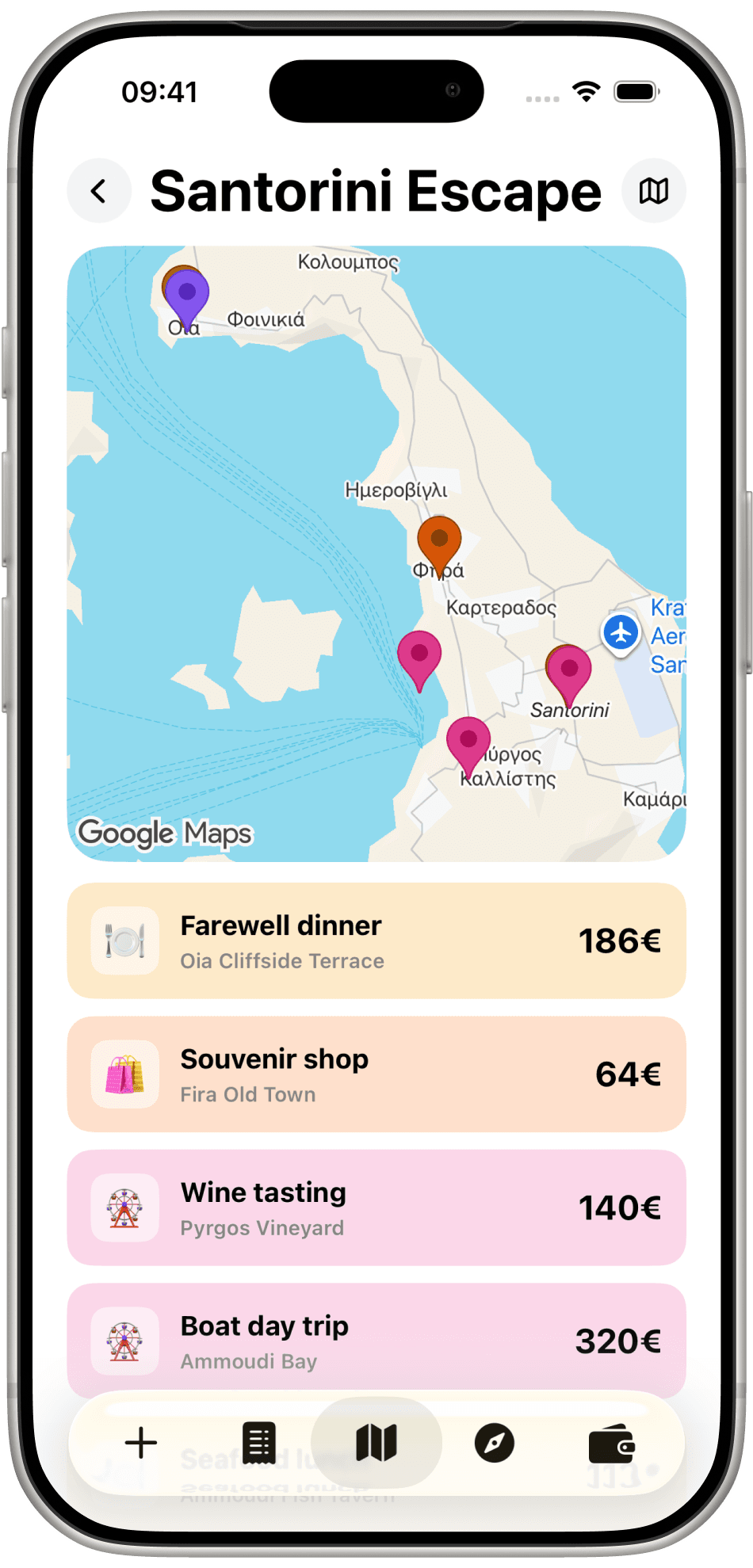
Open the map and the trip draws itself: farewell dinner on the Oia cliff, souvenirs in Fira, wine tasting at Pyrgos. Tap a pin, see the amount.
An expense
Amount, what it was for, a category, the date. Add a photo and a location when the moment deserves to be kept.
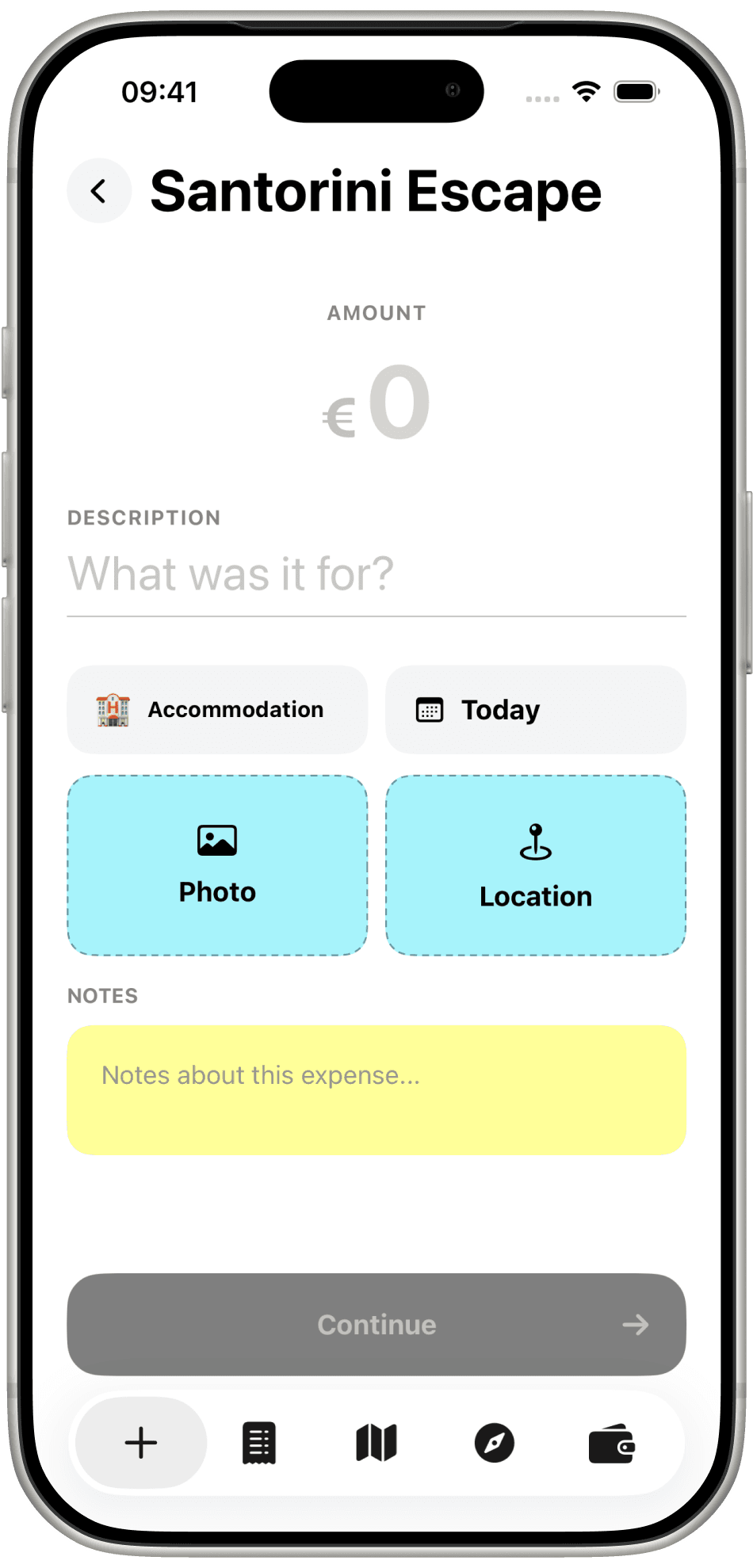
Type the amount, say what it was for, pick Accommodation or Dinner, attach a photo and a pin. Continue.
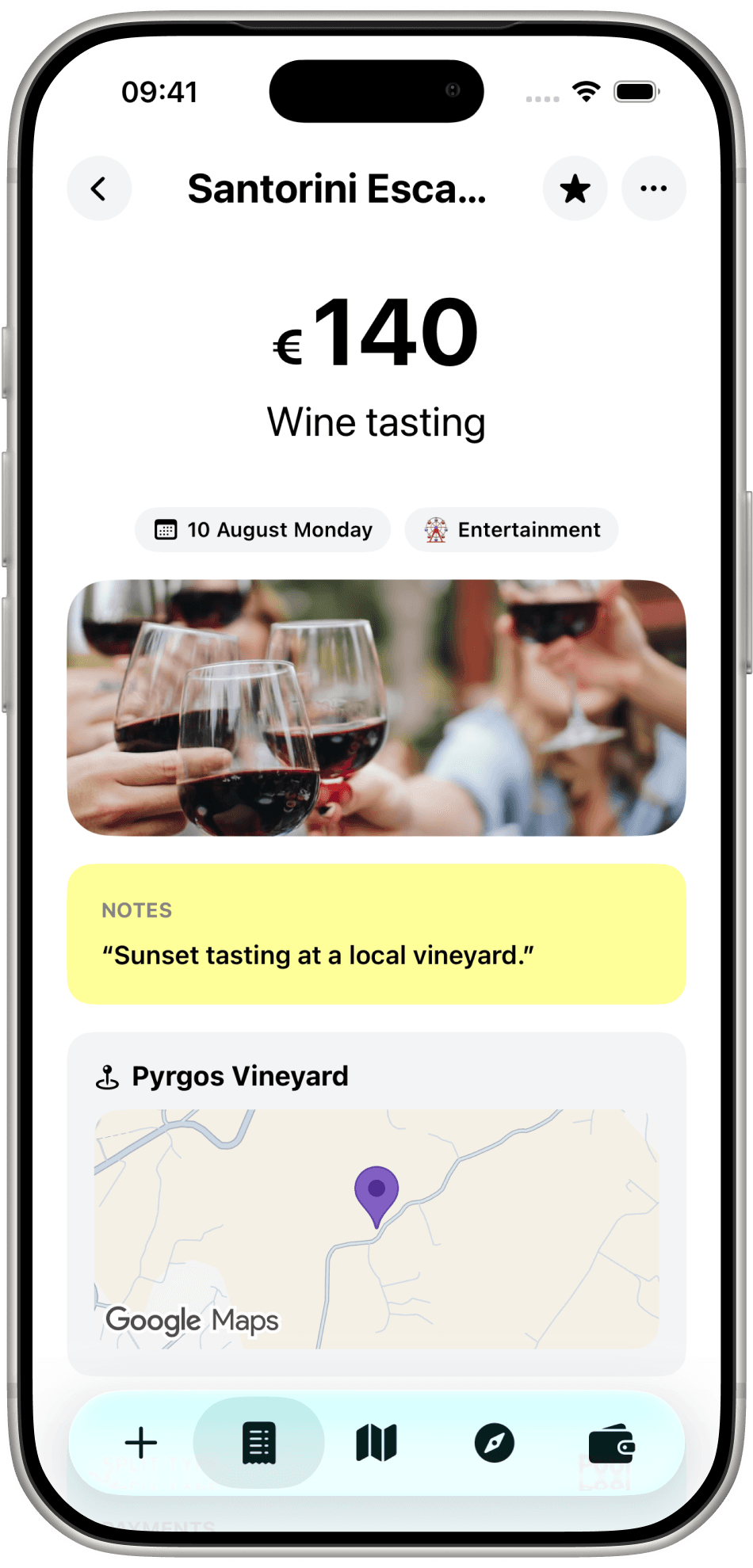
Wine tasting, 140€, 10 August. A vineyard photo, a note, and Pyrgos Vineyard on the map. The receipt becomes the memory.
Trip guide
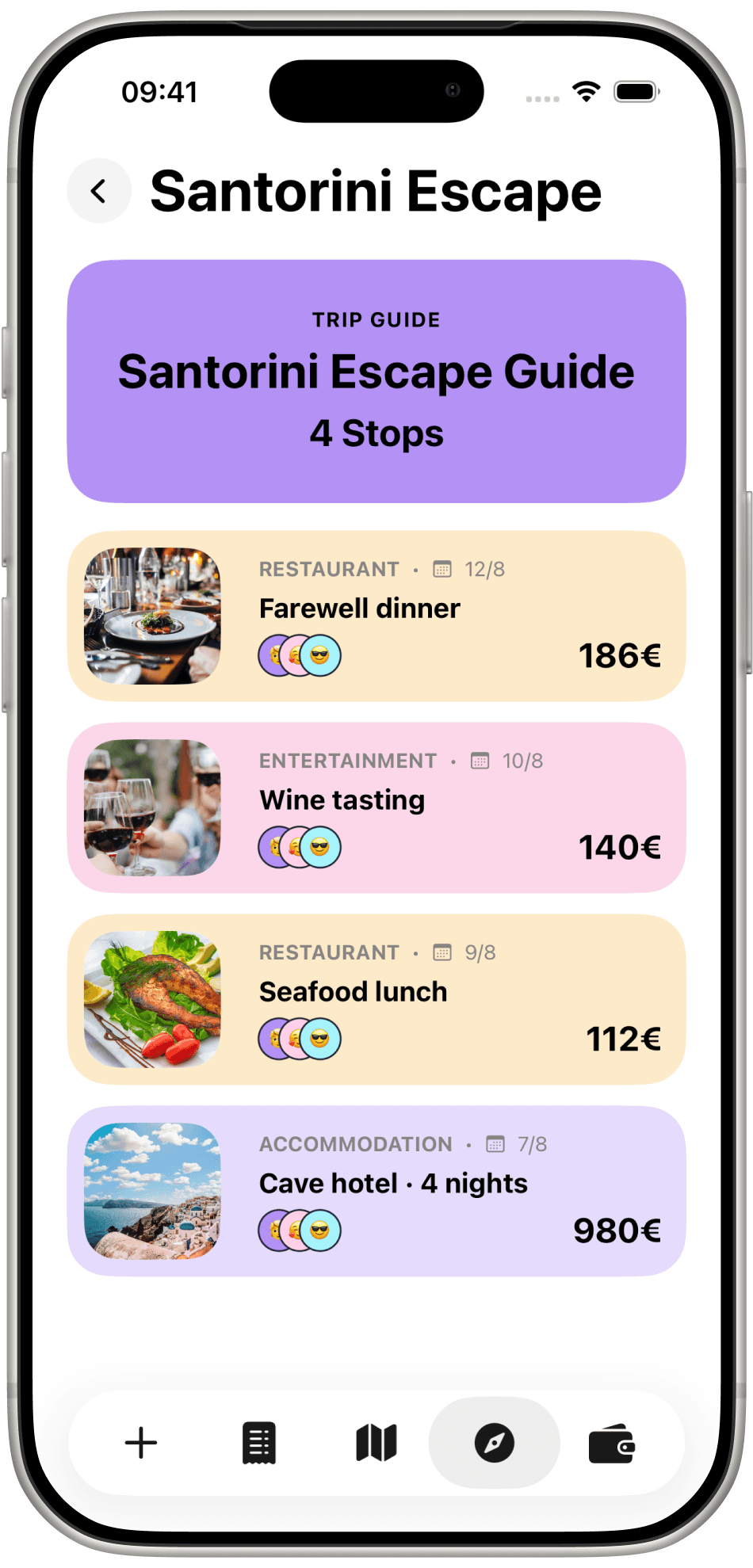
The compass tab turns expenses into stops: farewell dinner, wine tasting, the cave hotel. Four stops, with photos, people, and what they cost — a guide you can hand to whoever goes next.
The wallet
Three tabs close the trip: a wallet overview, the numbers behind it, and a settlement you mark as paid.
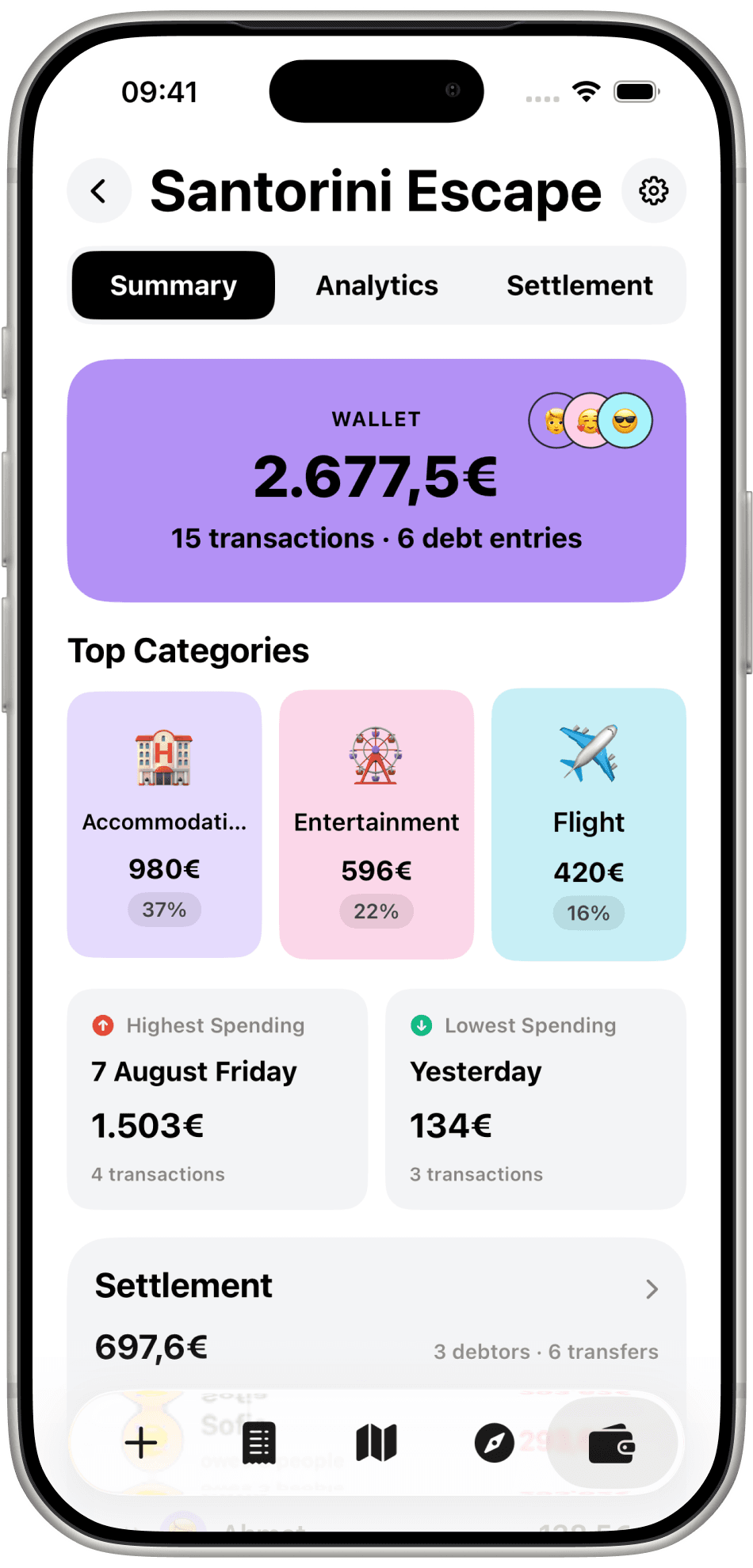
The wallet total, how many transactions, top categories — accommodation, entertainment, flight — and the highest and lowest spending days.
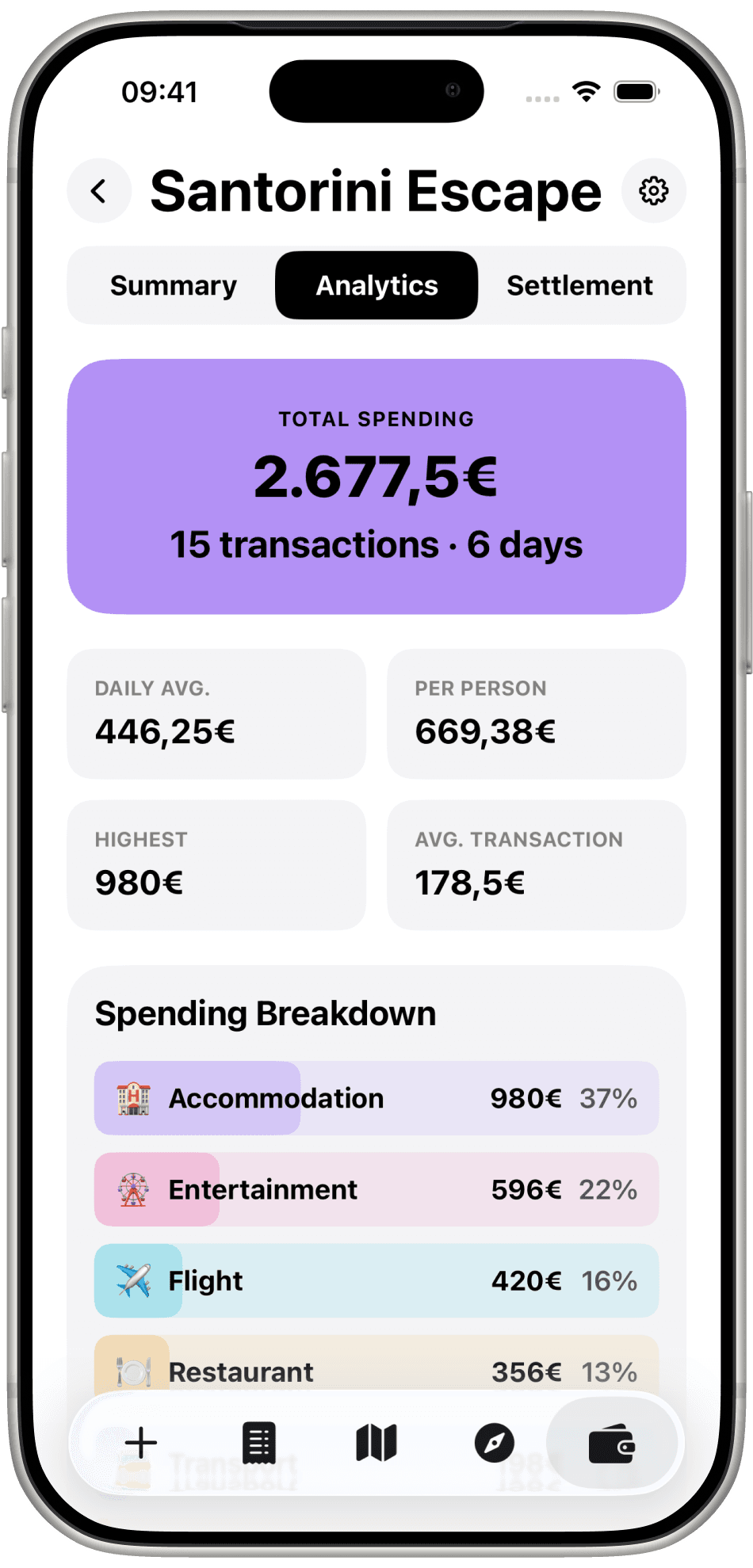
Daily average, per person, highest spend, and a breakdown by category. You see where the 2.677,5€ actually went.
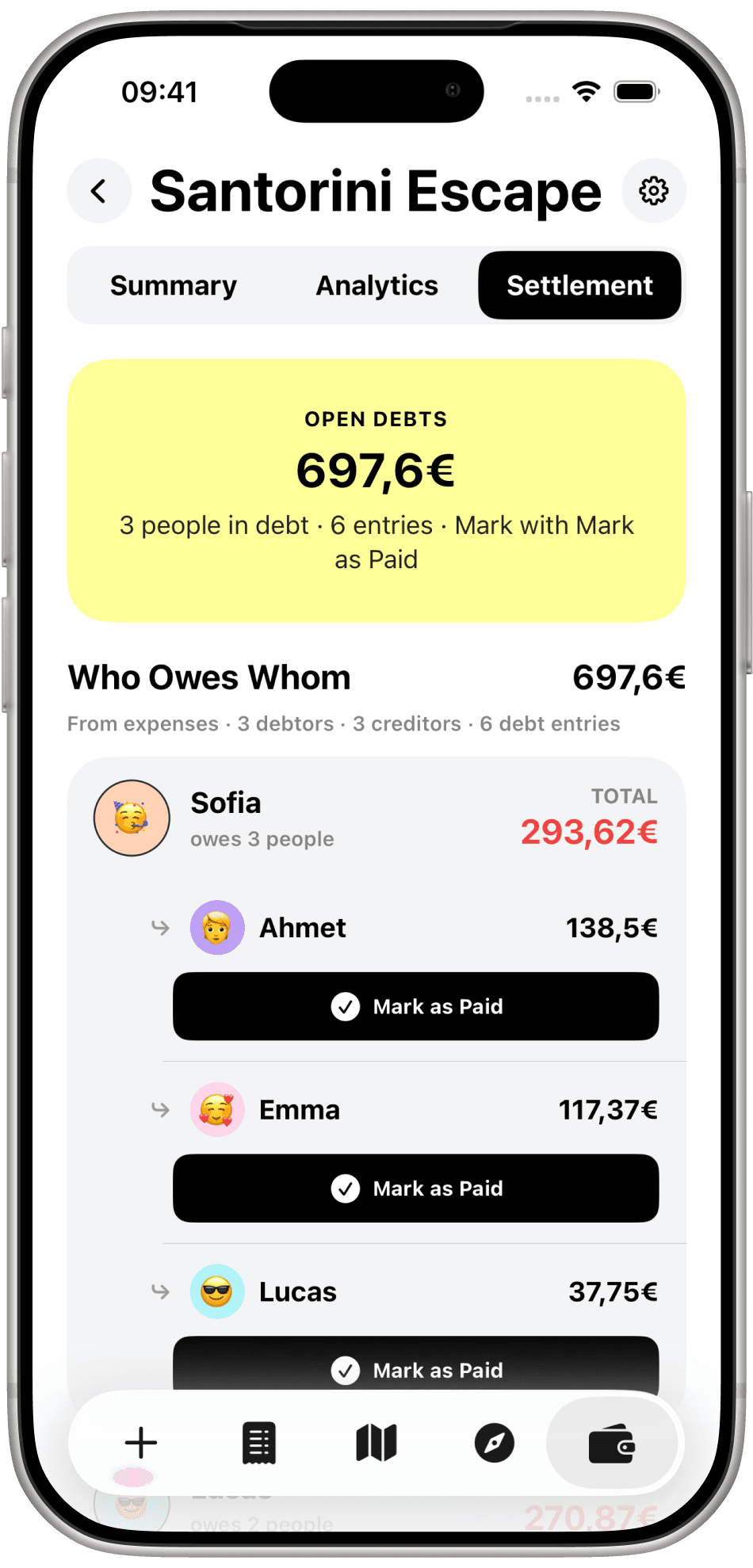
Open debts, then who owes whom. Sofia owes Ahmet, Emma, Lucas. Mark each transfer as paid when it is done.
How it stays fair
Everyone adds as they pay. Nobody keeps a private list to reconcile at the airport.
The trip is set in the currency you are spending in, so every total on the card means the same thing.
Debts are netted down to the fewest transfers. Each one has a button. Press it when it is settled.
TravelTab is on iPhone. Free to start, and everyone joins with a code.