
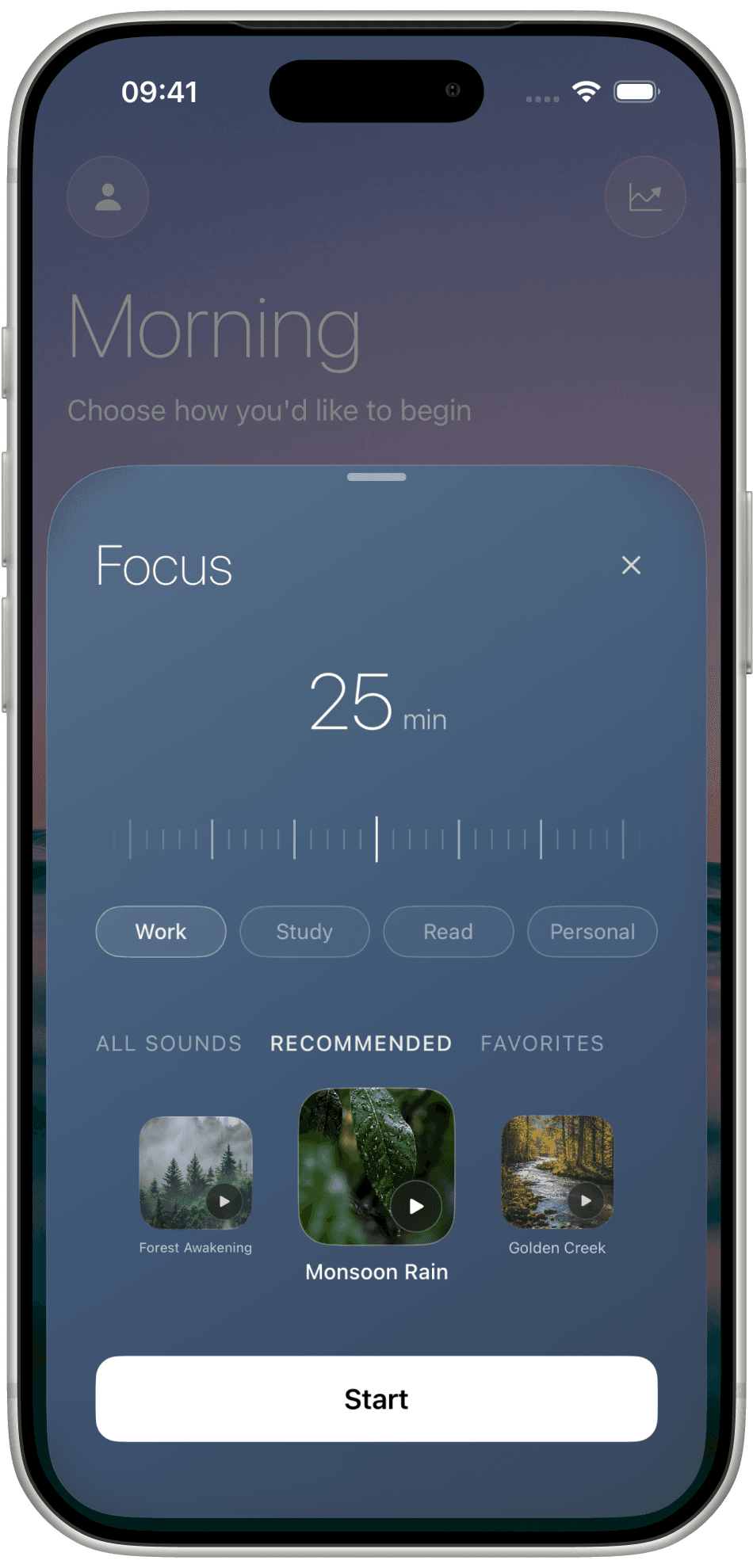
Focus
Slide the timer — often 25 minutes — then pick Work, Study, Read, or Personal. Recommended sounds sit underneath. Press Start.
The home screen greets the time of day, then offers Focus, Sounds, Break, or Sleep. One timer, one landscape, one sound.
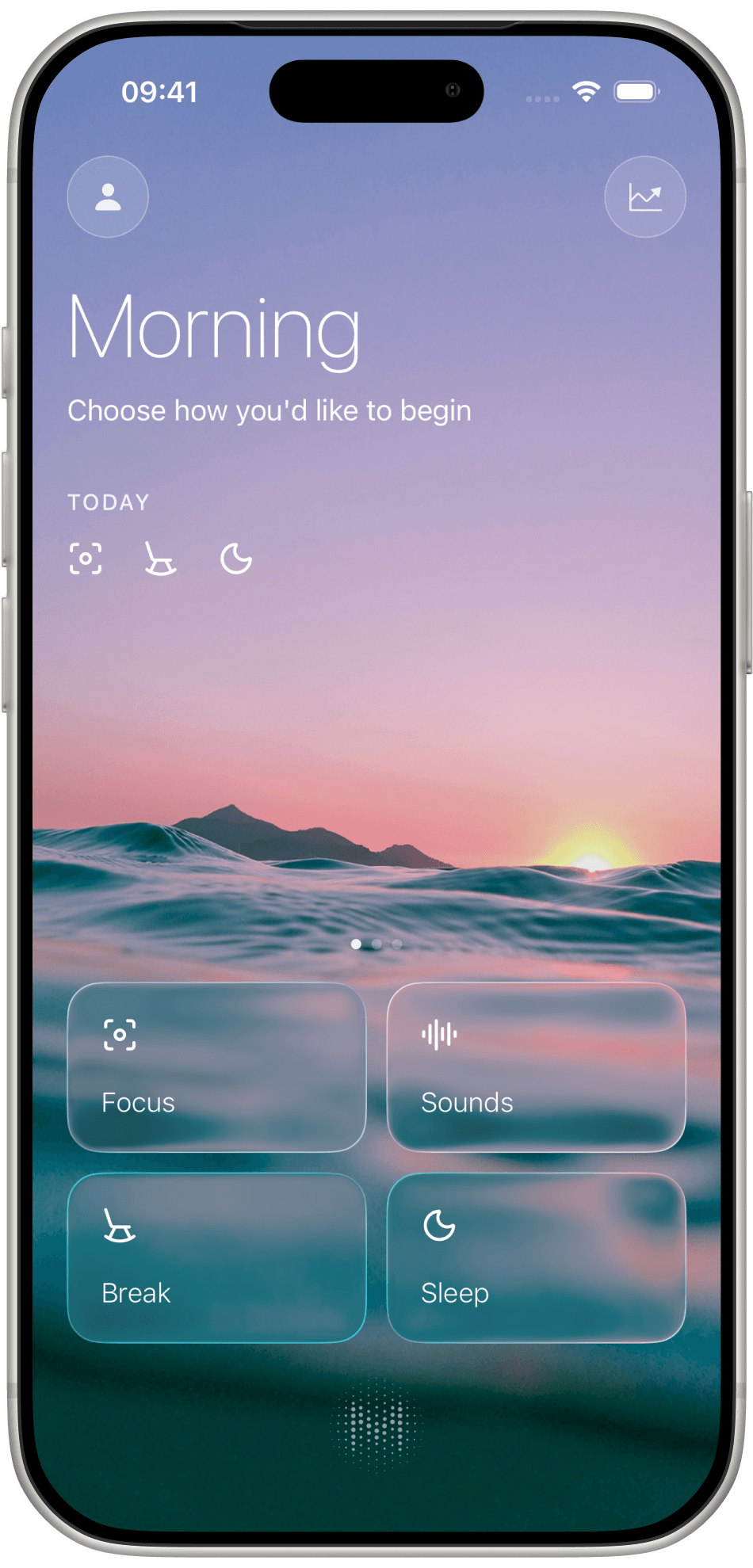
Morning opens with a choice, not a feed. Four tiles sit on the landscape: Focus, Sounds, Break, Sleep.
Nothing else asks for your attention. No streaks, no badges, no list to catch up on. Just the hour you picked.
Three ways to begin
Slide the timer — often 25 minutes — then pick Work, Study, Read, or Personal. Recommended sounds sit underneath. Press Start.
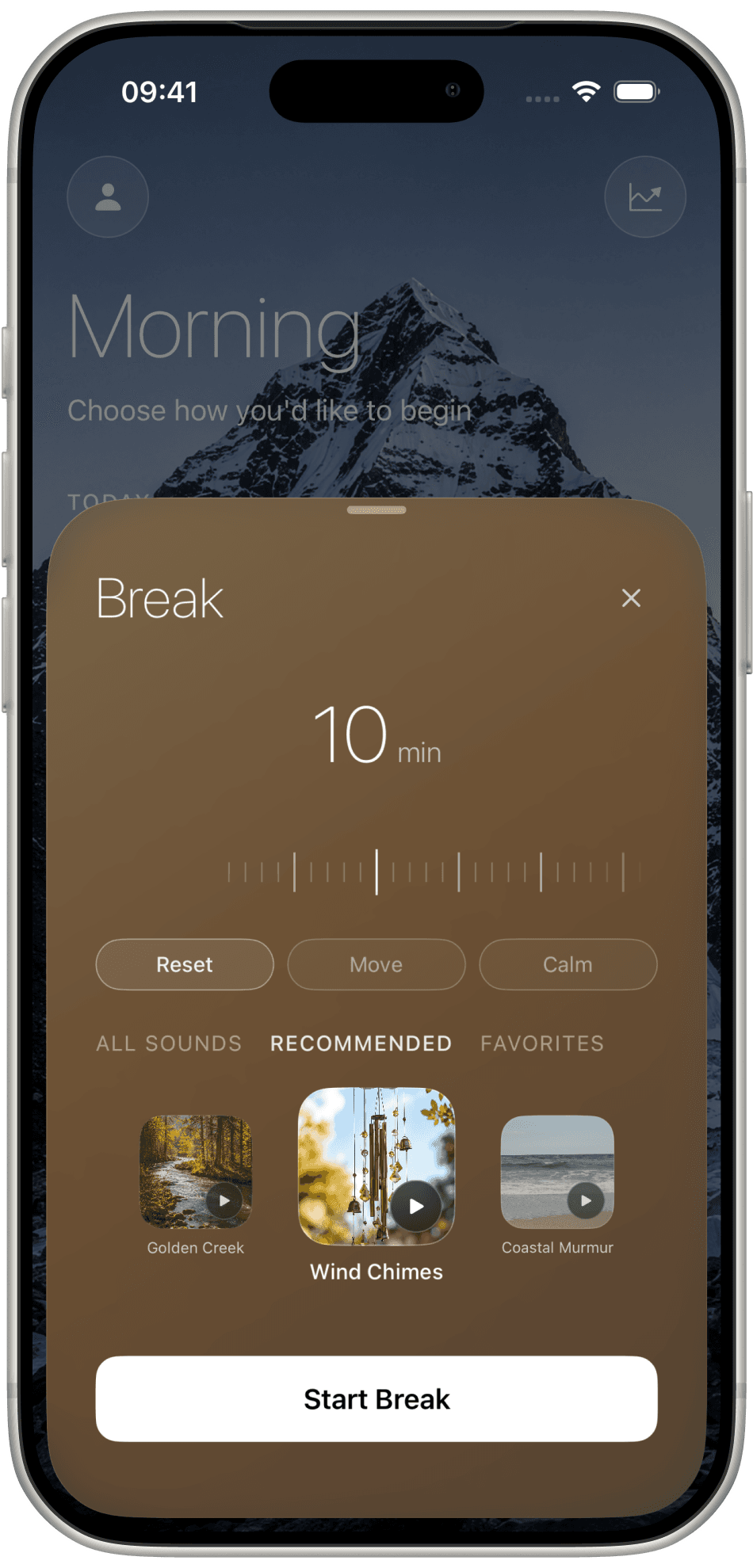
Ten minutes is the default. Choose Reset, Move, or Calm, pick a sound, and press Start Break.
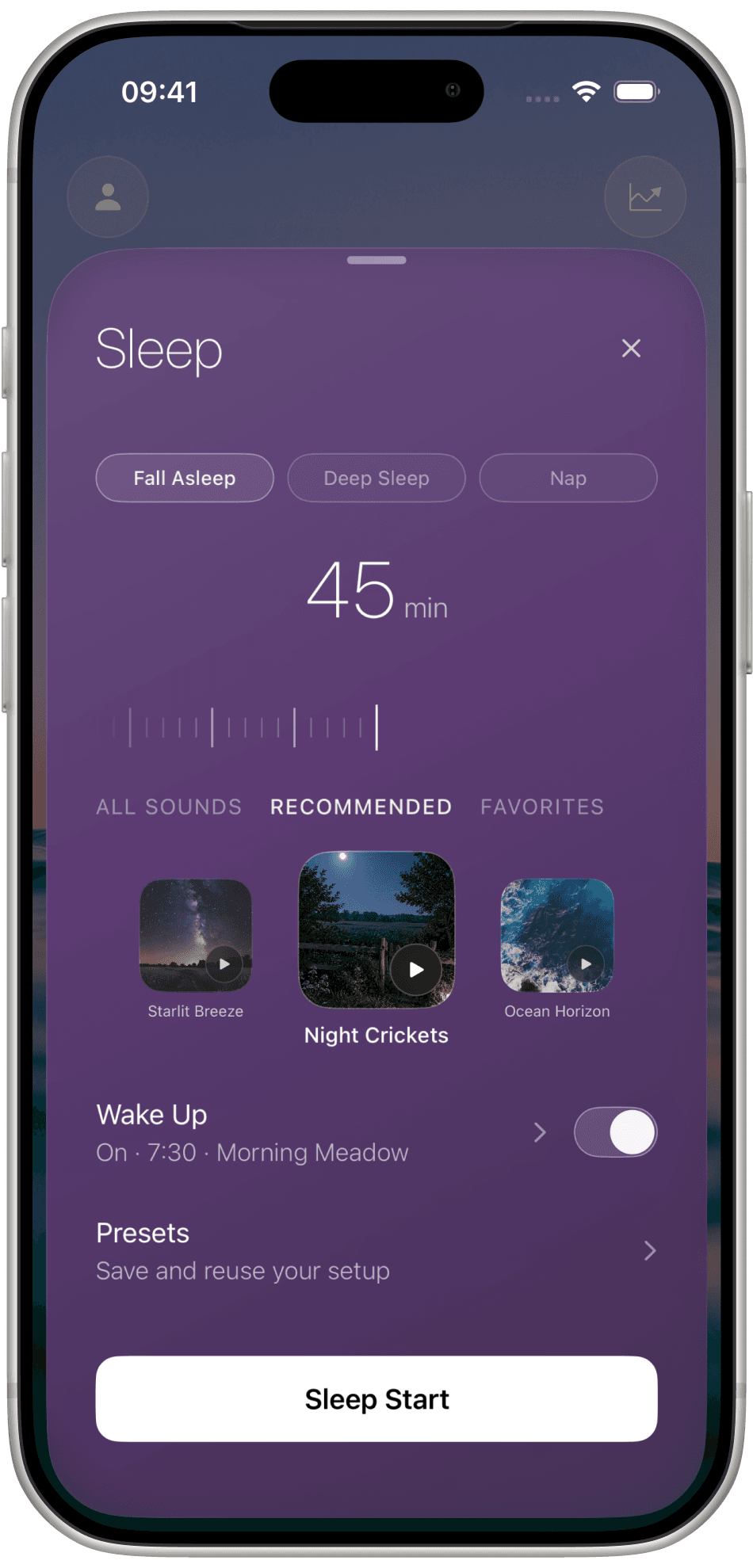
Fall Asleep, Deep Sleep, or a Nap. Set the length, keep a wake-up if you want one — On, 7:30, Morning Meadow — then Sleep Start.
While it runs
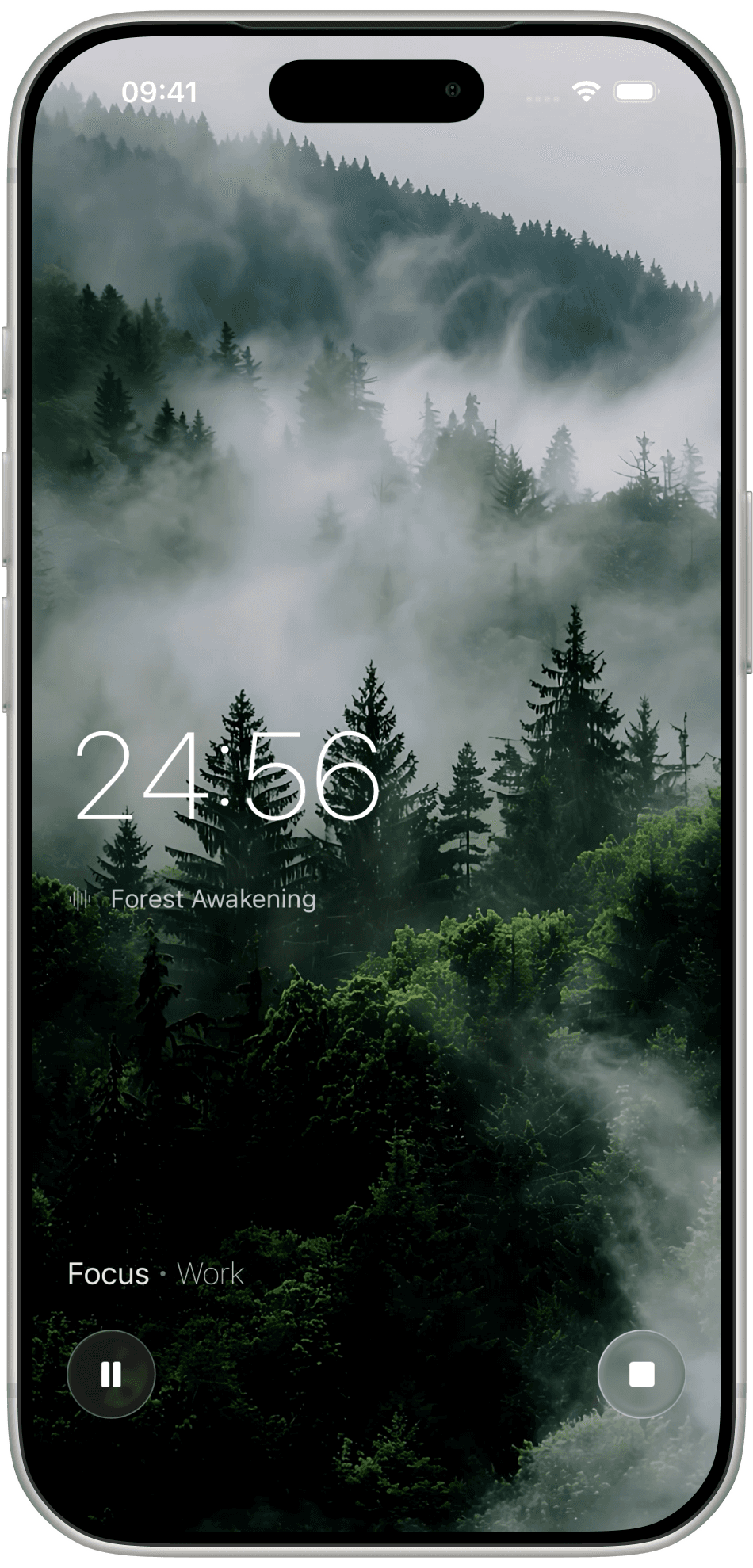
When a session starts, the landscape takes the screen. A countdown sits on the left, the sound name under it — Forest Awakening — and Focus · Work at the bottom. Pause or stop. That is all.
Sounds
Focus, Break, and Sleep each open with Recommended. Switch to All Sounds or keep the ones you return to in Favorites.
Recommended
Mist through evergreens. The one that holds a long Focus.
Recommended
Steady rain, no thunder. The one you pick for reading.
Recommended
A field after dark. The one that ends the day.
Statistics
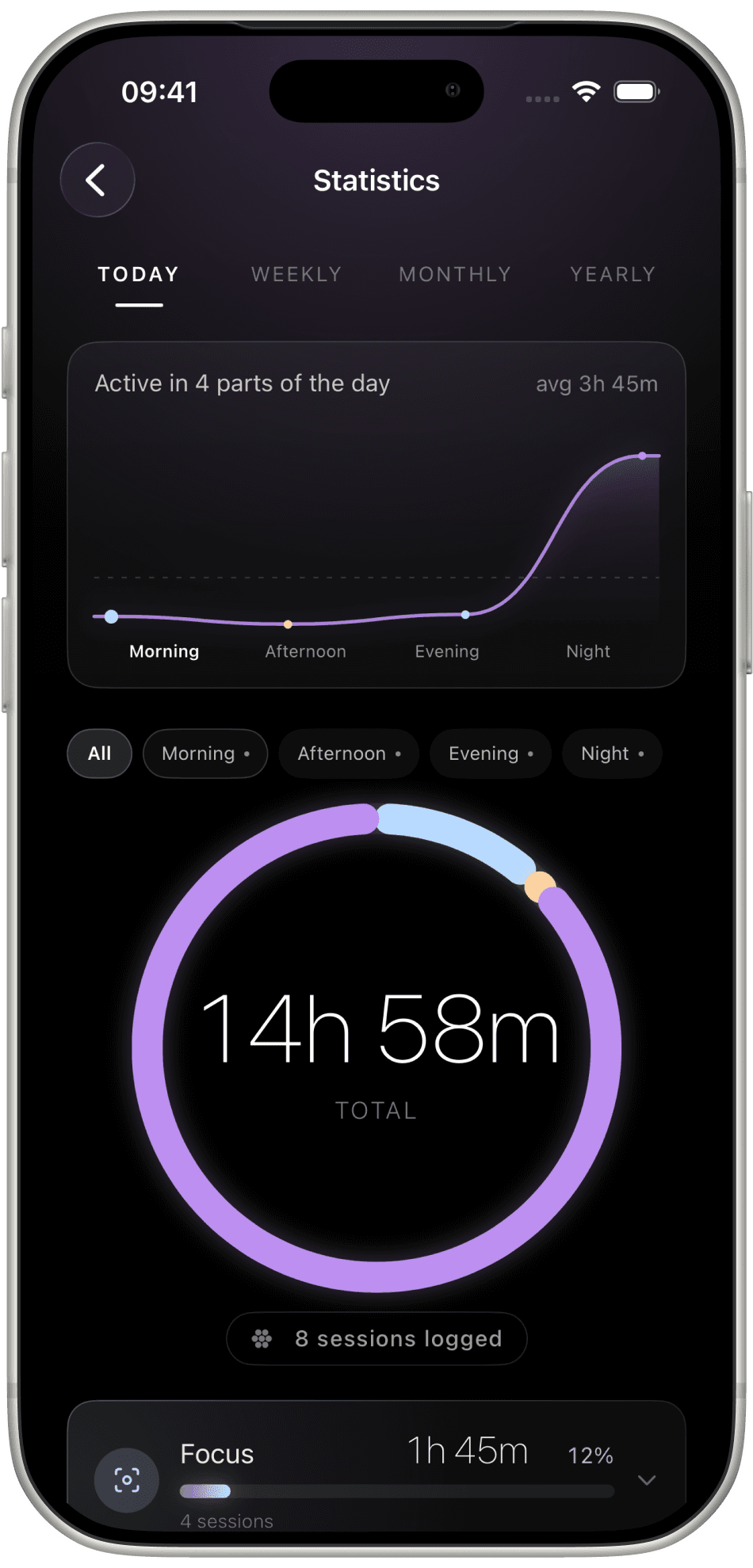
A graph of Morning, Afternoon, Evening, and Night. A ring for the total hours. How many sessions you logged. The numbers are there when you want them, and quiet when you do not.
What it leaves out
The home screen is a greeting and four tiles. There is nothing to scroll, and nothing to catch up on.
Statistics show where the hours went. A missed day does not cost you a badge.
One landscape, one sound, one timer. Pause and stop are the only controls once it runs.
Melioris is on iPhone. Free to start, no account needed.