
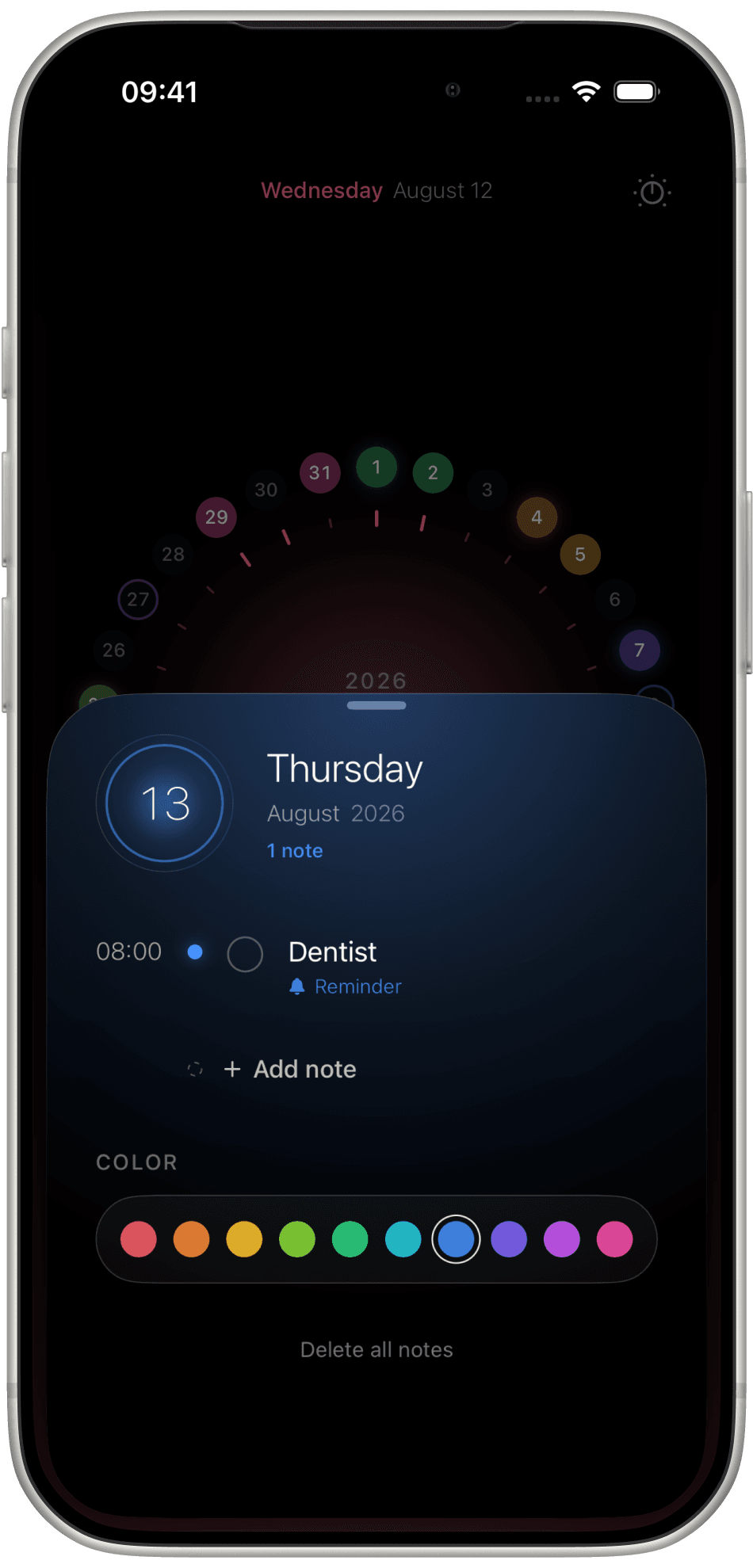
The day
Thursday the 13th opens as a sheet: the notes for that date, a colour you pick, and a place to add another.
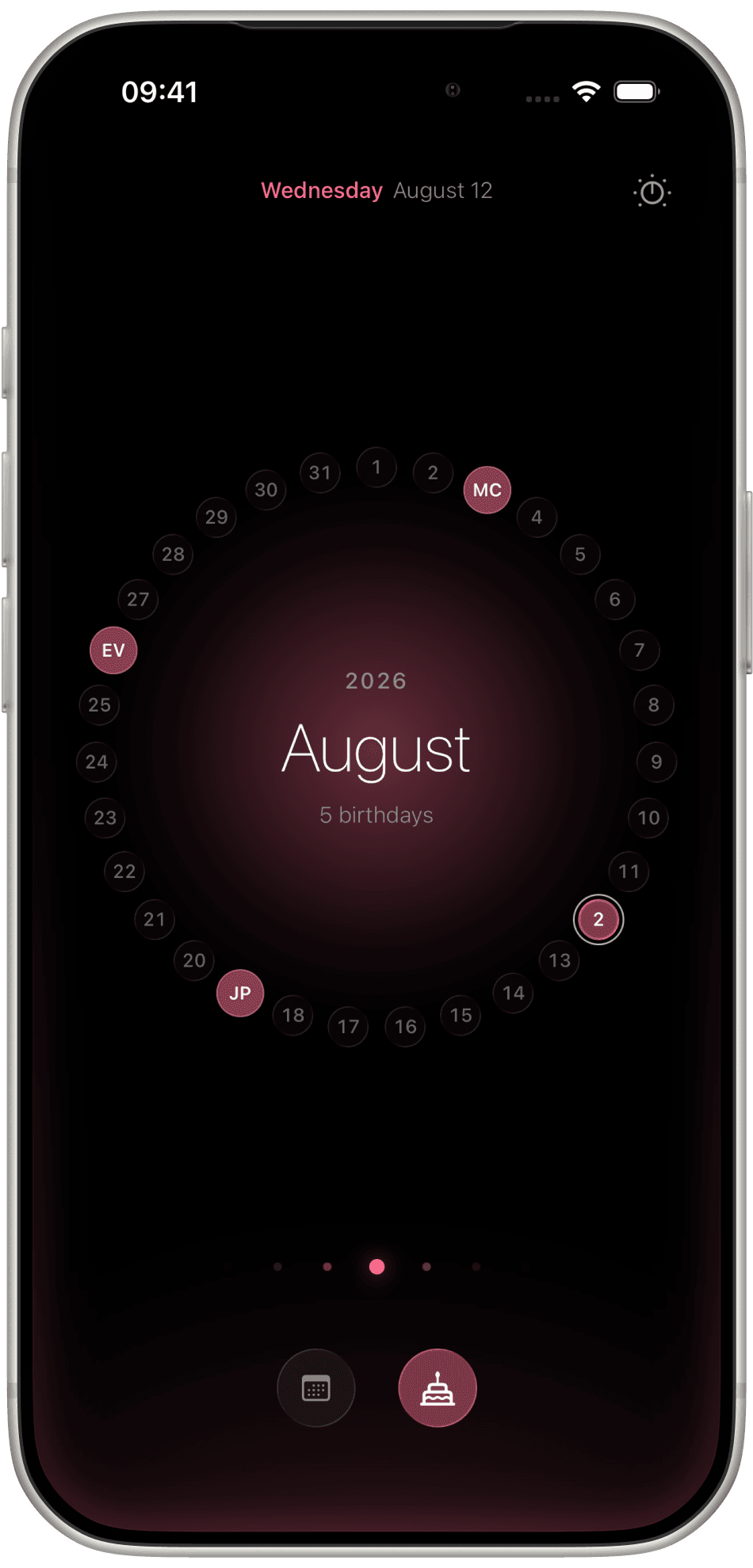
Days sit around the month. A colour means a note. Birthdays take a second ring, with initials on the date they belong to.
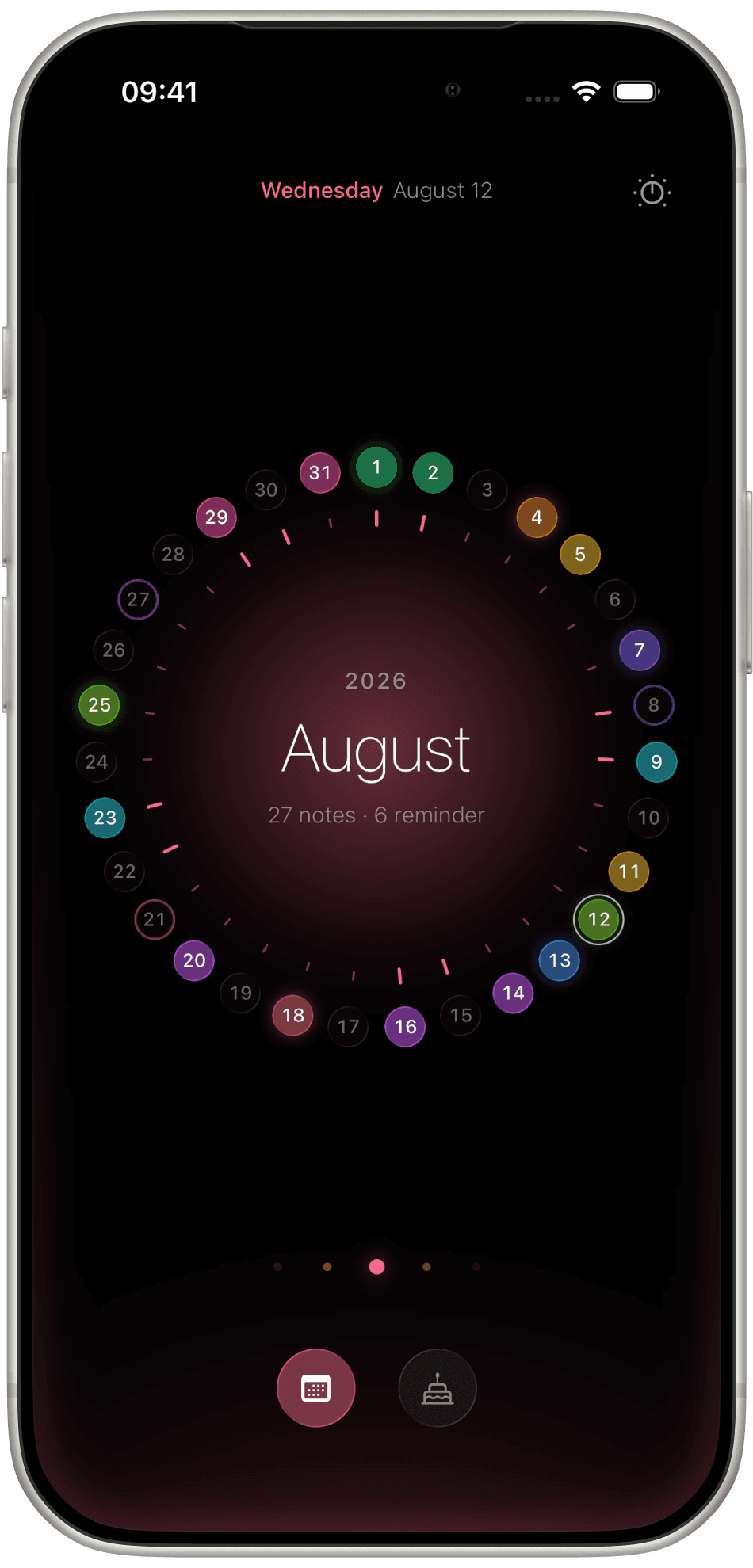
A grid tells you where a day sits in a table. The ring tells you where it sits in your month — how far behind today, how close to what is coming.
Give a note a colour and you stop reading lists. One look at August is enough.
A day, then a note
The day sheet lists everything on that date. Add a note with a time, a reminder bell, a repeat, and a colour from the row underneath.
Thursday the 13th opens as a sheet: the notes for that date, a colour you pick, and a place to add another.
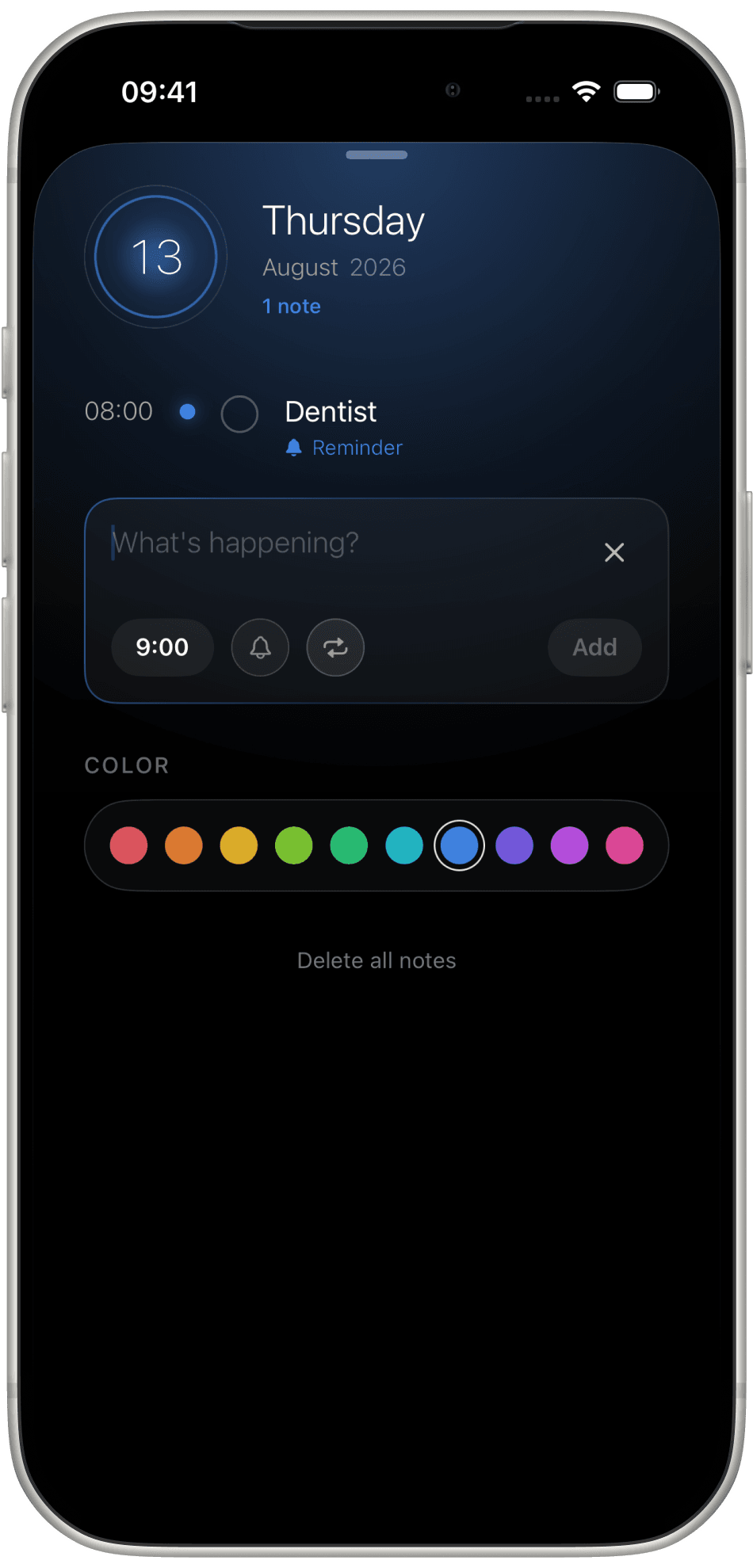
The field asks What's happening? Set a time, turn the bell on, repeat it if it comes back. That is the whole form.
Birthdays
Switch to the cake and the month fills with initials — MC, EV, JP — sitting on their dates. The centre tells you how many birthdays this month, before you have to remember.
People
A name and a birthday are enough. Turn Birthday reminder on, and the day finds you.
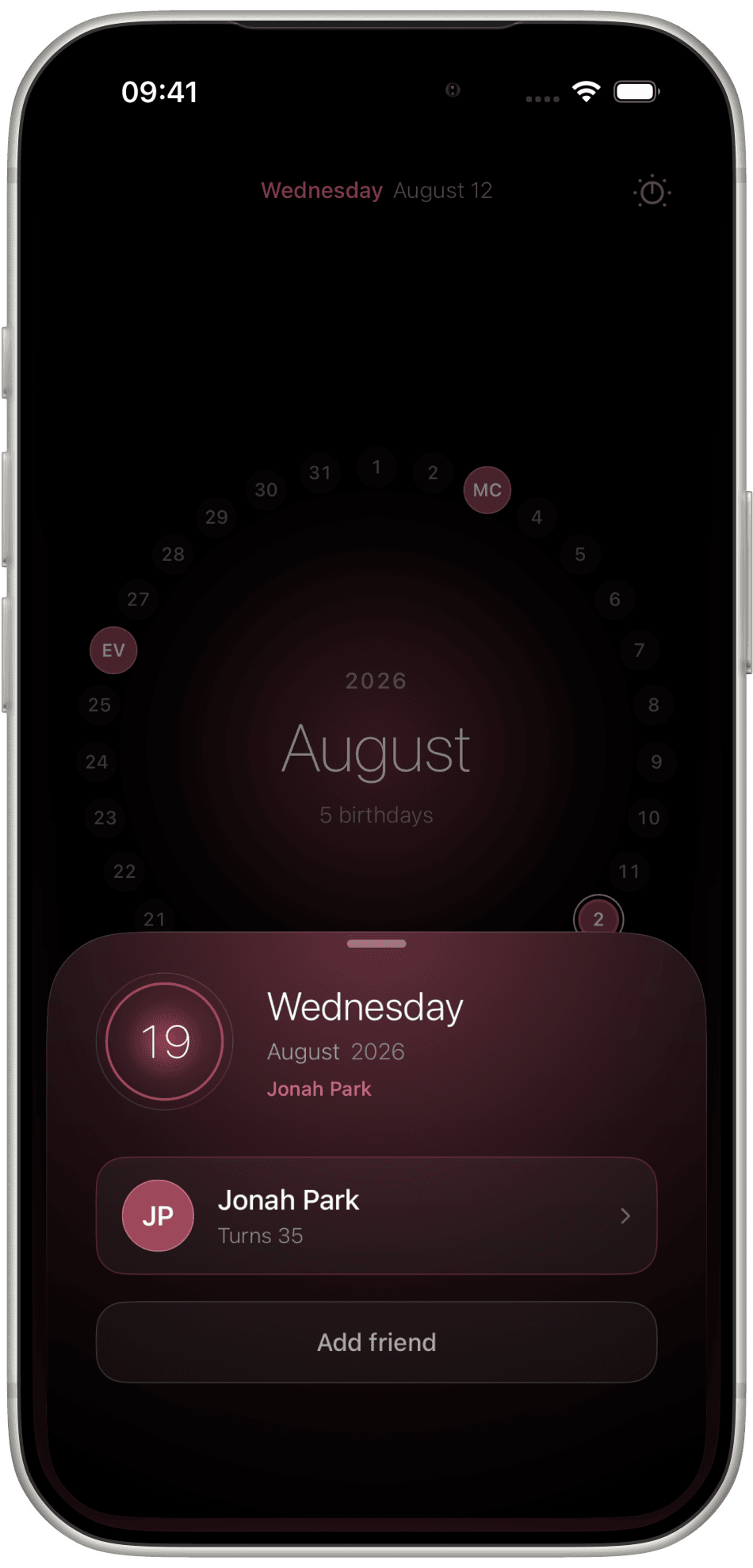
Open the date and you see who it belongs to — Jonah Park, Turns 35 — without hunting through a list.
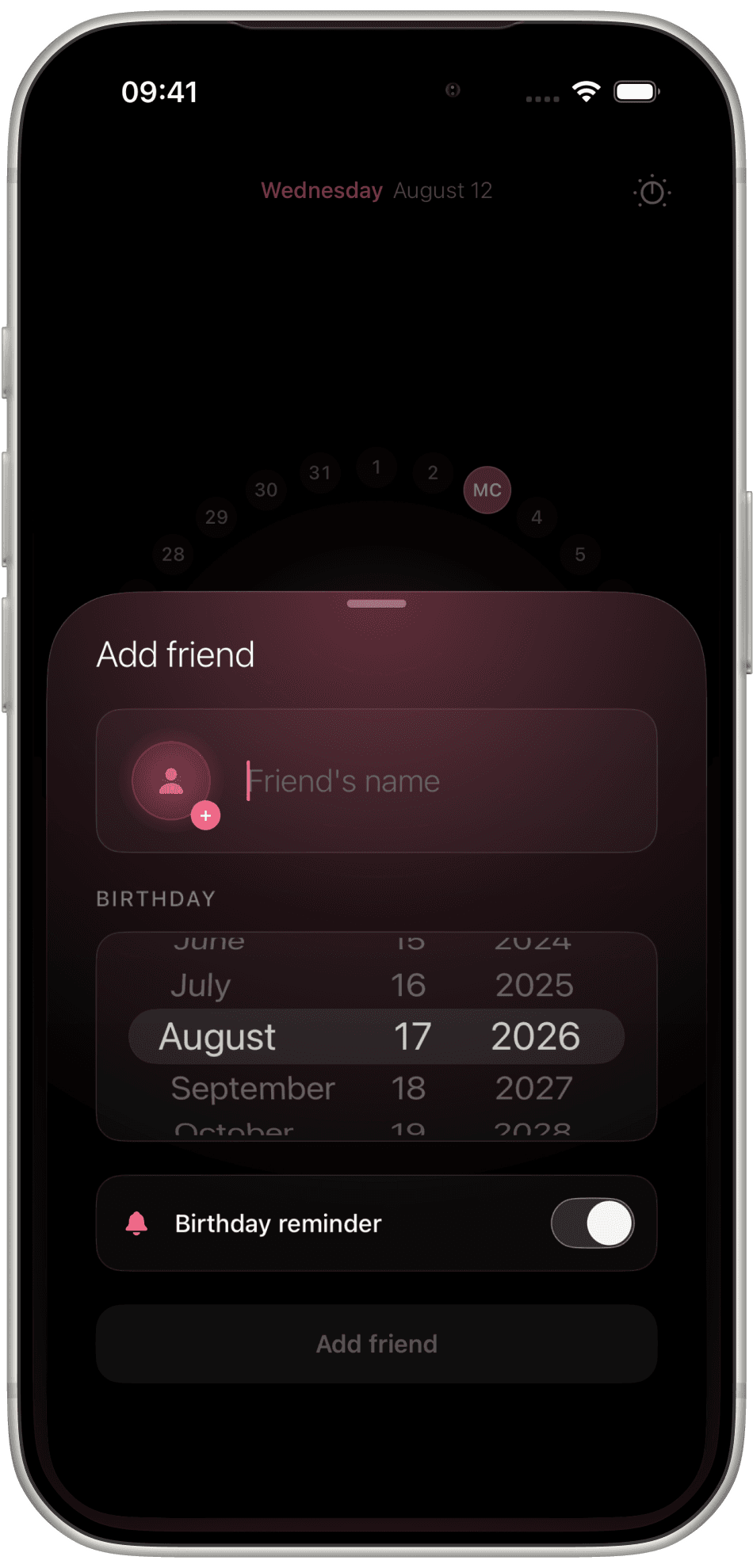
Friend's name, a birthday picker, and a reminder toggle. Press Add friend. They take their place on the ring.
Yours
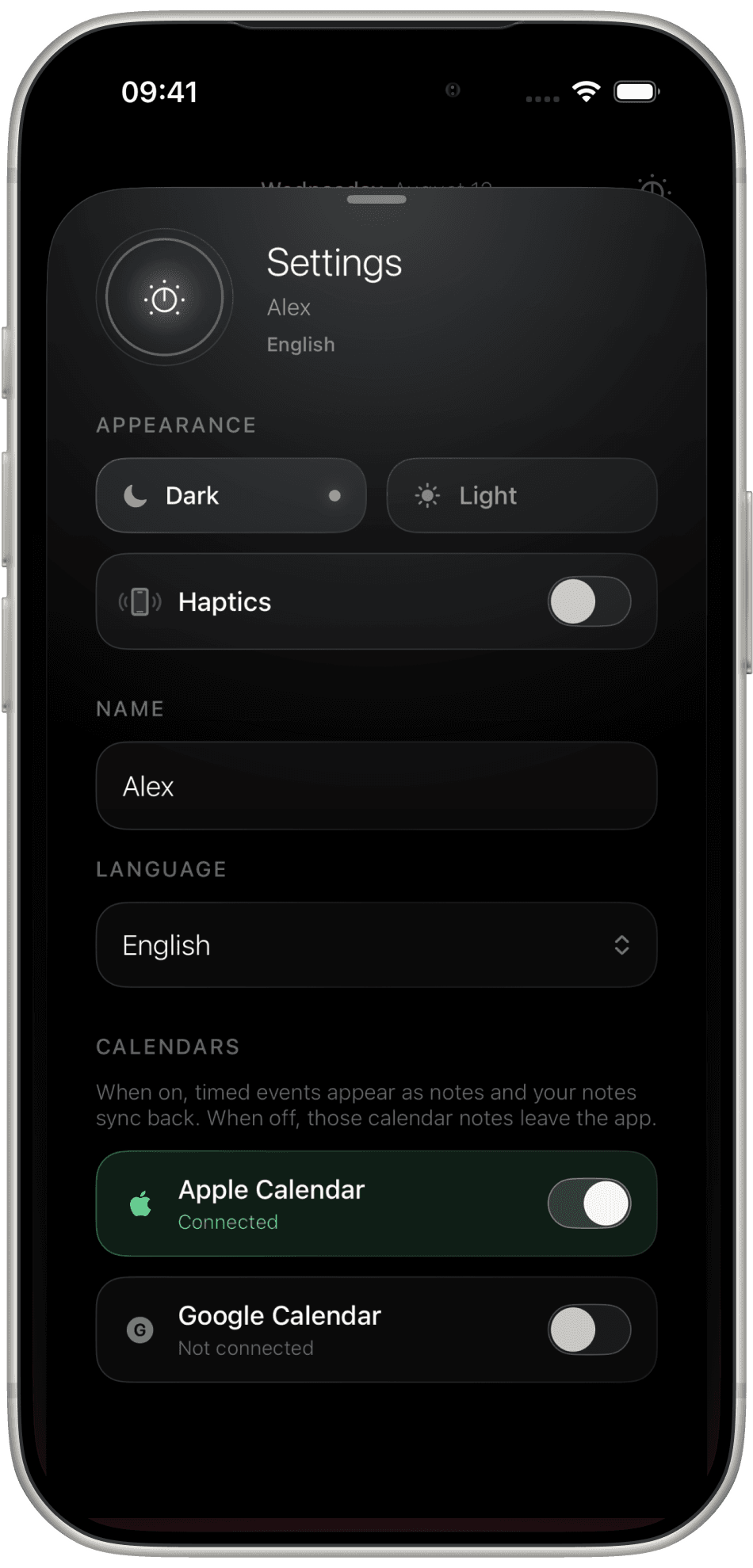
Choose Dark or Light, keep Haptics on or off, and set the language. Connect Apple Calendar or Google Calendar so timed events arrive as notes, and your notes go back.
How it stays calm
There is no day, week, month, and agenda to switch between. The ring is the whole calendar.
Ten colours on the day sheet do the work a wall of titles usually does. You read the month before you read a word.
What is happening, a time, a bell, a repeat. No fields you will never fill in.
Calendro is on iPhone. Free to start, no account needed.